

A year ago, I had no clue on how to structure my study schedule and constantly procrastinated on my tasks. I spent several hours exploring different apps that would solve my time-management problems. These issues were all sorted out when I discovered Notion.
Notion is an application that provides different personalized features to its users such as Databases, Calendars, Reminders, Kanban boards, Galleries, and Lists. Their free workspace helps re-organize your lifestyle. IB students have to learn to balance their IA’s, EE, CAS, ToK, your 6 subjects, extra-curriculars, and social life. Notion allows you to break down tasks into smaller, more concrete ones.
Here’s how I created my schedule for the week, using Notion’s in-line board:
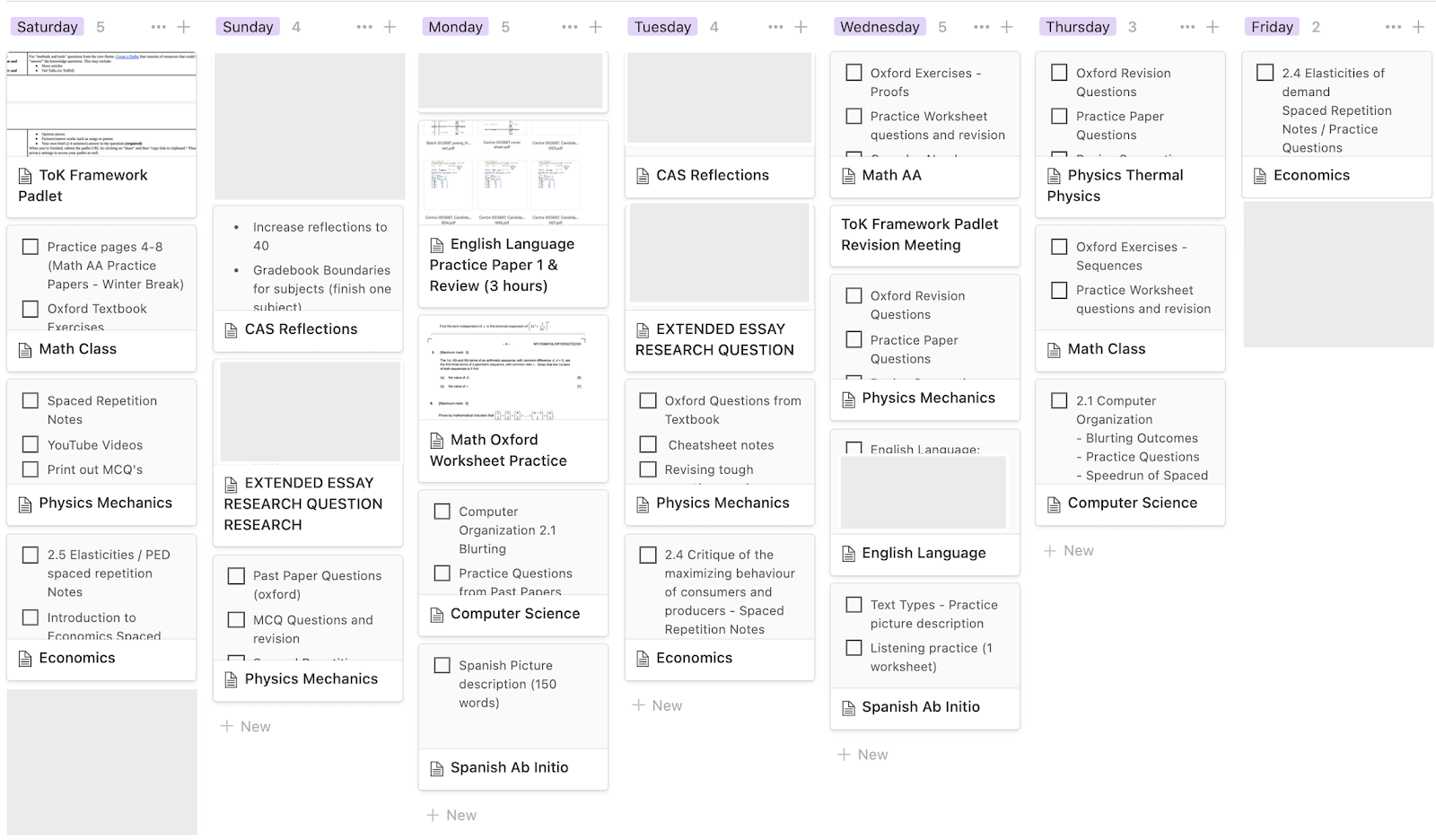
One of Notion‘s biggest advantages is that it’s accessible on any device. There are also different research-based techniques you can use to enhance your studying. Active recall and spaced repetition are two such methods! I use spaced repetition flashcards on Notion to revise content on the go. I also embed Google Sheets onto a Notion page to keep track of my schedule and how often I should practice.
Many of us spend too much time trying to create the perfect schedule, only to end up being counter-productive and fall behind. But by starting today, improving bit by bit and celebrating small achievements, your future self will thank you!
You may also like…
- Nelly and Saya’s secrets to a great IB experience
- Our ultimate study tip for the IB to achieve high scores


